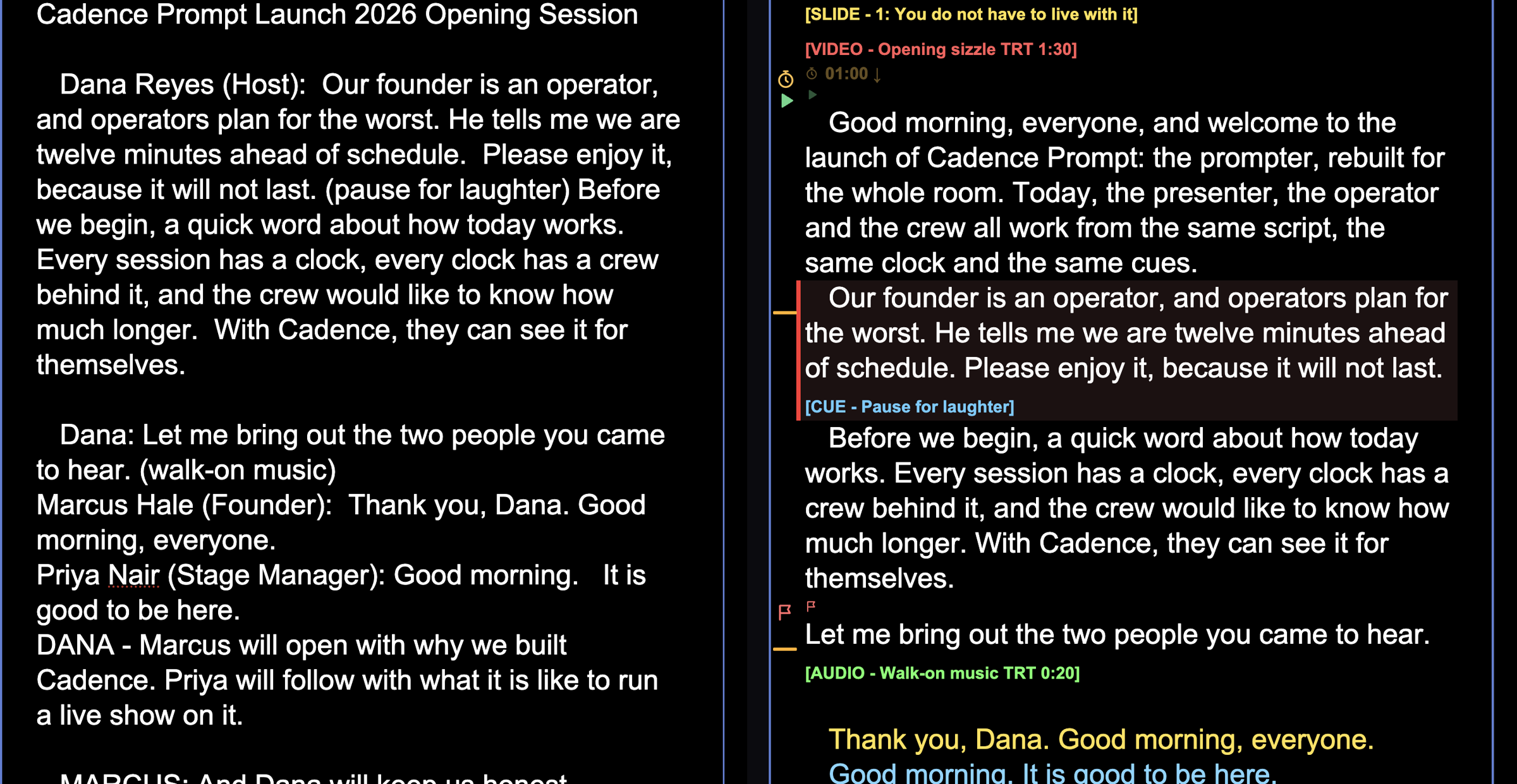
From the writer's file to the prompter, in a fraction of the time.
A brand-new script lands the night before, and the crew sits in overtime while it gets formatted. Scripts arrive in every shape imaginable. Cadence takes the repetitive prep off your hands and protects your work when the late rewrite hits.
Features marked Beta are built and tested, but they haven’t been battle-tested by hand on a live show yet. They’re included in the 0.2.2 beta.
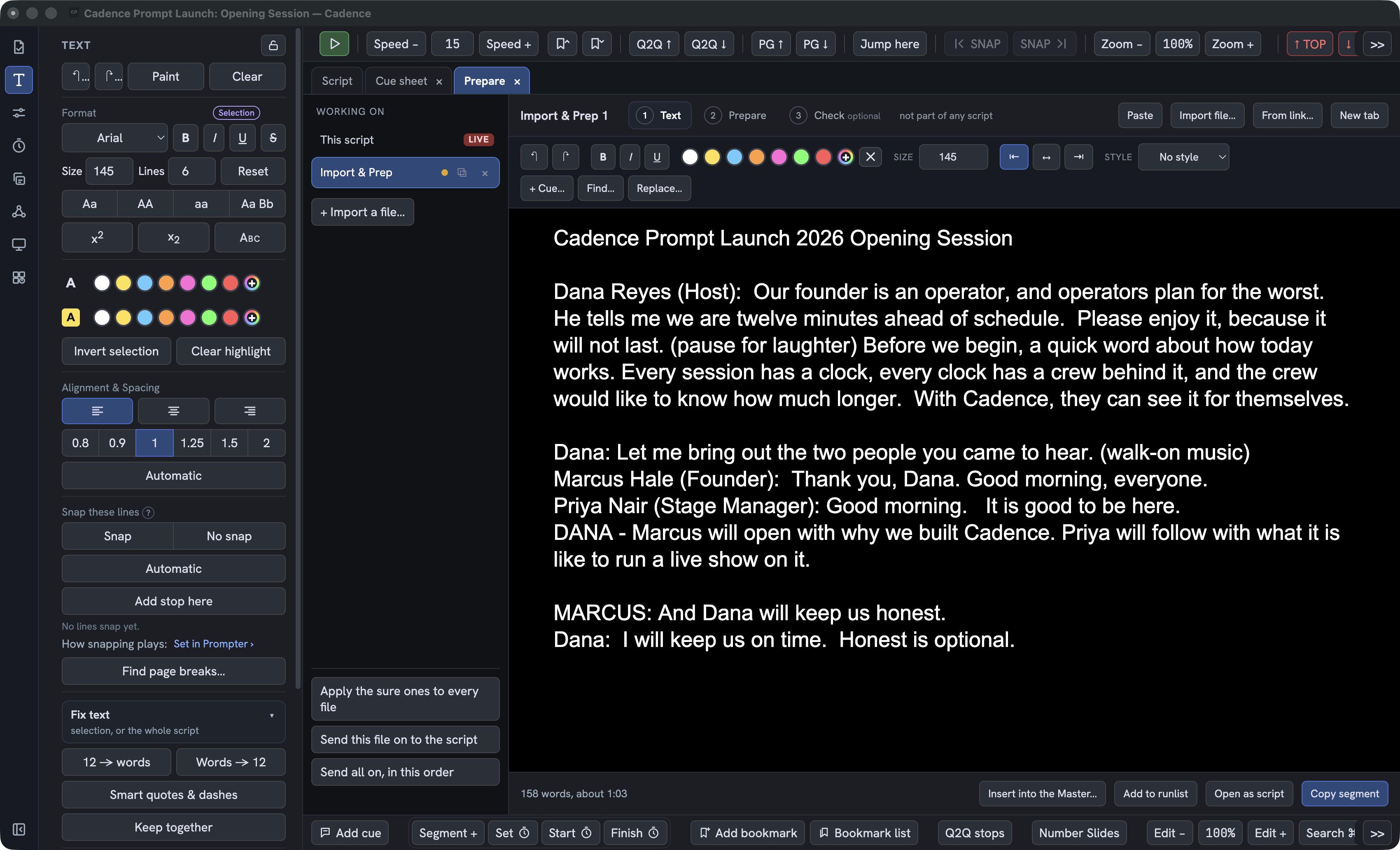
Import & Prep
Raw script in, show-ready out.
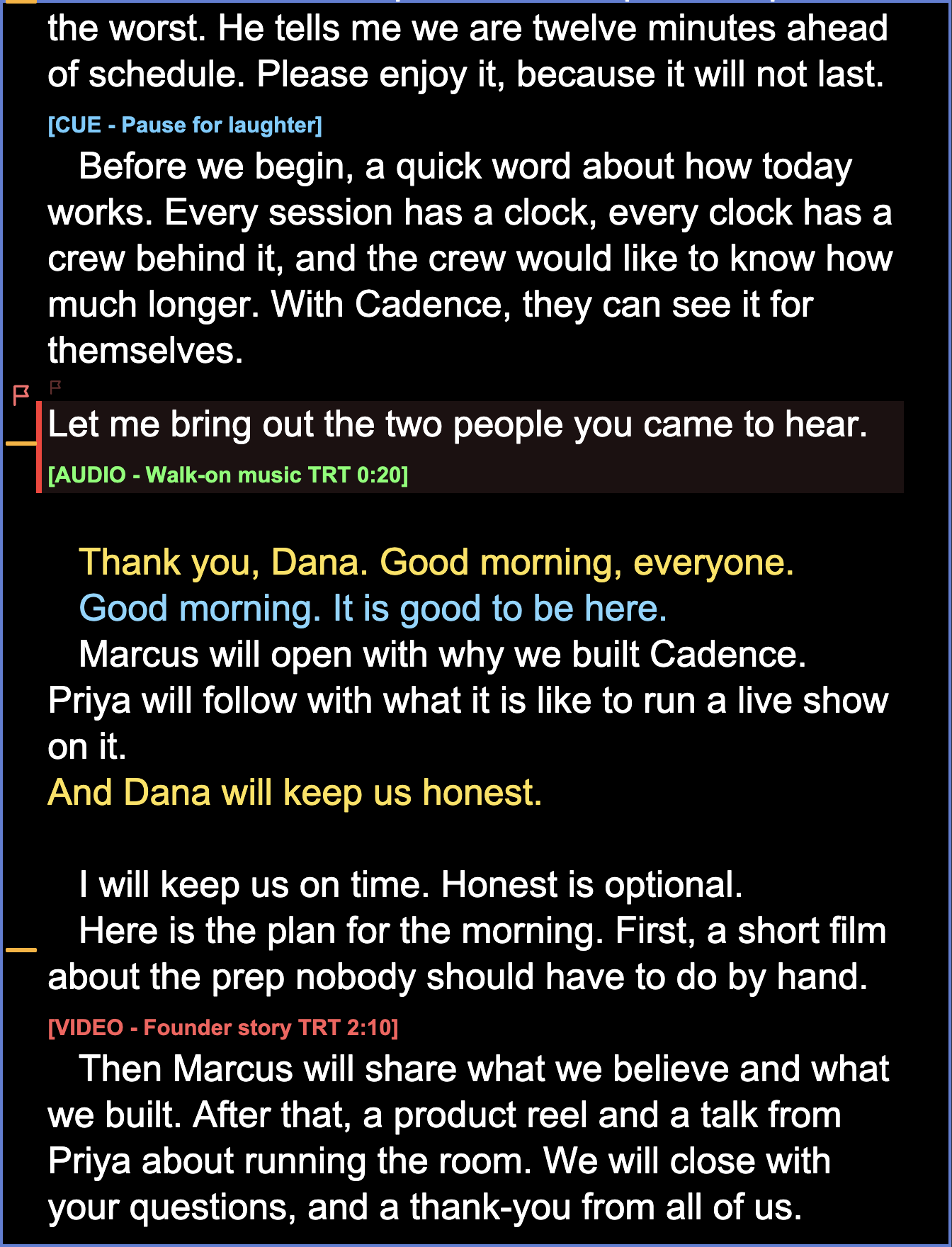
Bring in Word docs, PowerPoint or Keynote speaker notes, PDFs, Pages files, Google Docs and Slides, or a shared folder on Drive, Dropbox, OneDrive, or Box. One click finds the speakers, colors the stage directions, and sweeps for cues. One undo takes the entire pass back. A script is ready to rehearse in a fraction of the time, and each import opens in its own tab so multiple files can sit side by side.
Insert from another scriptBeta
Borrow lines from an older script.
Open an earlier script in a read-only viewer right beside the one you're editing. Find the lines you need, copy them, and paste them straight across. Cues and speaker styles come along for the ride, and Cadence only asks about slide numbering if the sequence doesn't already line up. Reads Word, PowerPoint, Keynote, Pages, PDF, and Telescript.
Prepare tabBeta
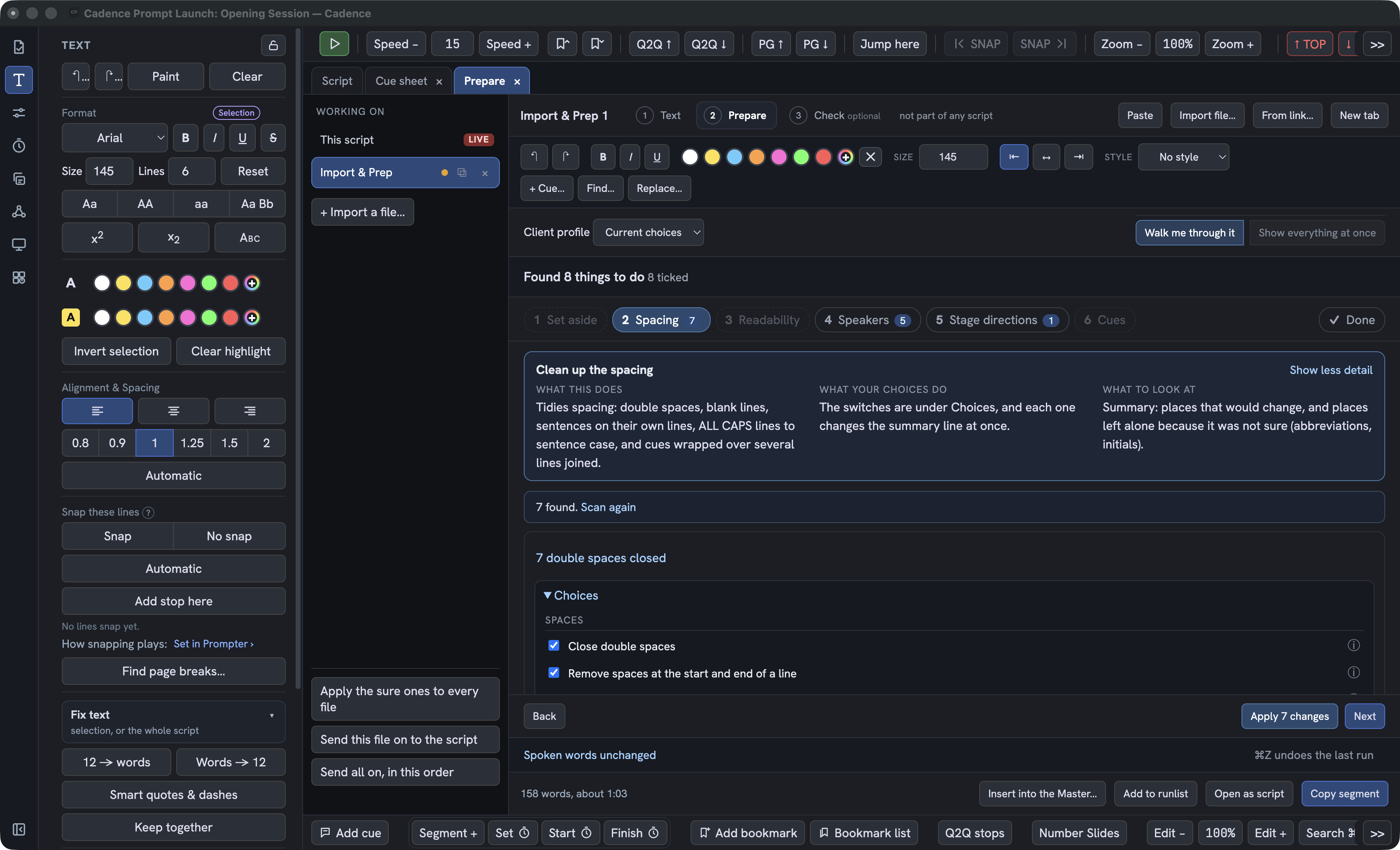
One click, one undo, for every file.
Prepare lives in its own tab right beside your script. Walk through each of the six clean-up steps: Set aside, Spacing, Readability, Speakers, Stage directions, and Cues. Apply the sure findings to every file at once or step through them individually. Anything Cadence isn't sure about goes to a short review list instead of changing behind your back. Send files into your script one at a time or all at once, in order. Client profiles remember your preferences for each recurring client, and one undo rolls the entire pass back.
Bring in a new version
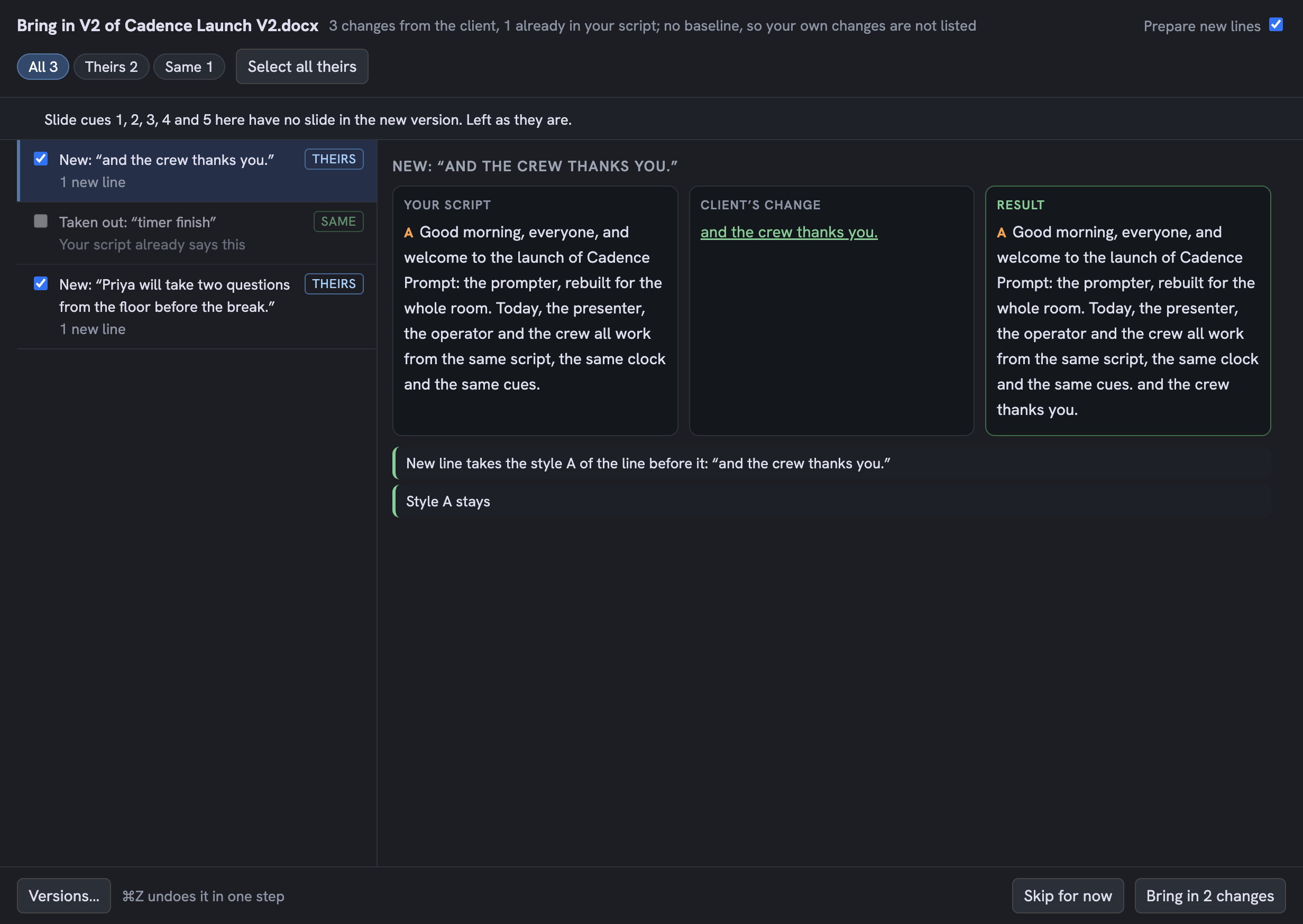
The late rewrite stops costing a full re-format.
Let the client keep editing their own document. When the new draft lands, it opens in its own tab. Cadence shows you exactly what they changed, what you changed, and where you both edited the same line. Your prep work survives, nothing gets applied silently, and Versions keeps every draft on file so you can roll back anytime.
Pictures in the script
See every slide right beside its cue.
Drop any image inline or onto its own line, and it scrolls smoothly alongside the words. Pull slide thumbnails from a folder, or import a PowerPoint or Keynote deck Beta to attach each slide image straight to its matching Slide cue. A slide range cue covers slides without spoken script, and bringing in a new version of the deck matches slides one by one. You, the presenter, and the crew always know what's on screen, and every picture carries cleanly through to Word and PDF exports.
More than one languageBeta
One script per language, one click to choose.
Clients send multilingual scripts three ways: a Word table with one column per language, one section per language in a single file, or a separate file for each. Cadence detects the languages, asks which one to import (or builds a script for each), and flags anything it left out, like footnotes or mixed-language lines. Slide images sitting in a column beside the text can become Slide-cue pictures automatically.
Master scriptBeta
Multiple scripts, one master document.
Stitch every script for an event into a single document, complete with a segment cue and a named bookmark for each. Number them in your runlist, or let the crew tap the rows they need on the pull page to download one combined PDF, Word, or plain text master.
Script tools
Clean up a script in minutes.
Convert paragraphs, strip to plain text, and run find and replace across your script while keeping every speaker style and cue completely untouched.