Download

You don’t have to live with it.

We keep putting up with the same prompter pain points because we assume they come with the job. They don’t. Cadence Prompt is the prompter, rebuilt for the whole room: prep in minutes, run the show with your hands on it, and a crew that sees the same clock you do.

Try Cadence Prompt See what’s different

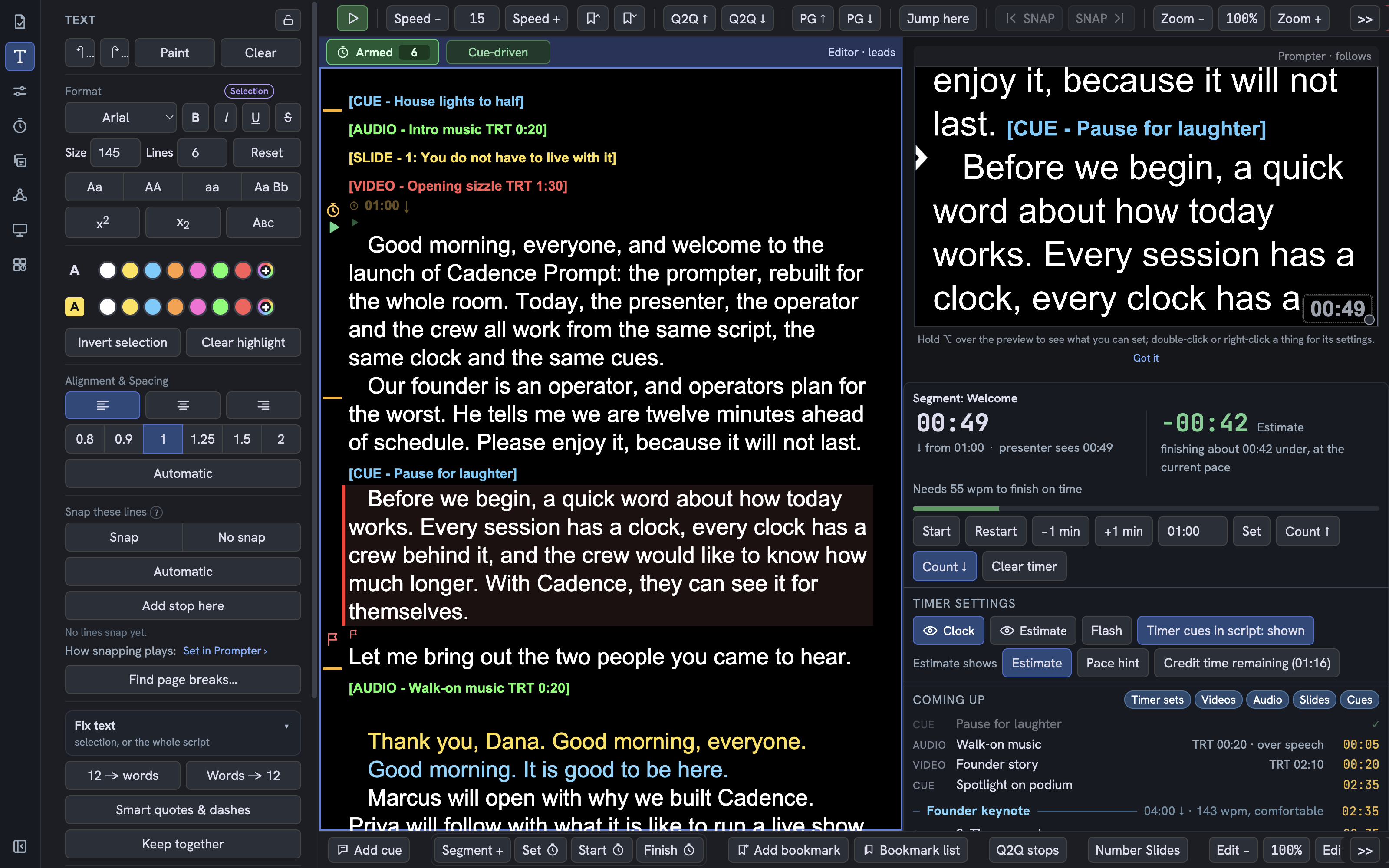
The Cadence Prompt operator window: the live bar across the top, the ribbon at left, the script with colored speakers and cues, and the preview, timer card, and Coming up in the side column.

Sound familiar?

I built Cadence Prompt after years of working around the exact same headaches. Read why →

Three promises, one room

Operators

Prep in minutes, then run the show with every control right under your hands. A clean interface built around the live bar, a command palette, and full Stream Deck control. Plus a phone remote Beta for the moments you need to step away from the desk.

Presenters

They walk on stage knowing their words, their pace, and their time. Every speaker can have their own style, a reading line that’s effortless to follow, and a clock they can trust without looking away from the script.

Crews

One show, one source of truth. Your crew is tired of asking, “What’s next? How long is left? Is that the latest?” With Cadence, everyone sees the same clock, cues, and script in any browser or phone Beta. Notes land on the script instead of in a text thread Beta, and rewrites take minutes, not overtime.

Run it with a Stream Deck.

Cadence runs great without a Stream Deck, but best with one. Dedicated keys for the tools you reach for most, dials for speed, text size, and bookmarks, and a touch strip for the clock keep your hands right on the show. You’ll want a Stream Deck + or + XL for the dials, though any model works. If you’re ever traveling light, nearly every key and dial has a shortcut, a menu row, or an on-screen button that does the same thing.

Learn it on the prompter.

Cadence Prompt teaches itself. Three hands-on series come built into the app: Getting Started, Prep Like a Pro, and The Whole Room. You read each module straight off the prompter and pause to try the features live. Instant Help search and a built-in manual are right there whenever you need a quick answer. See what’s inside →

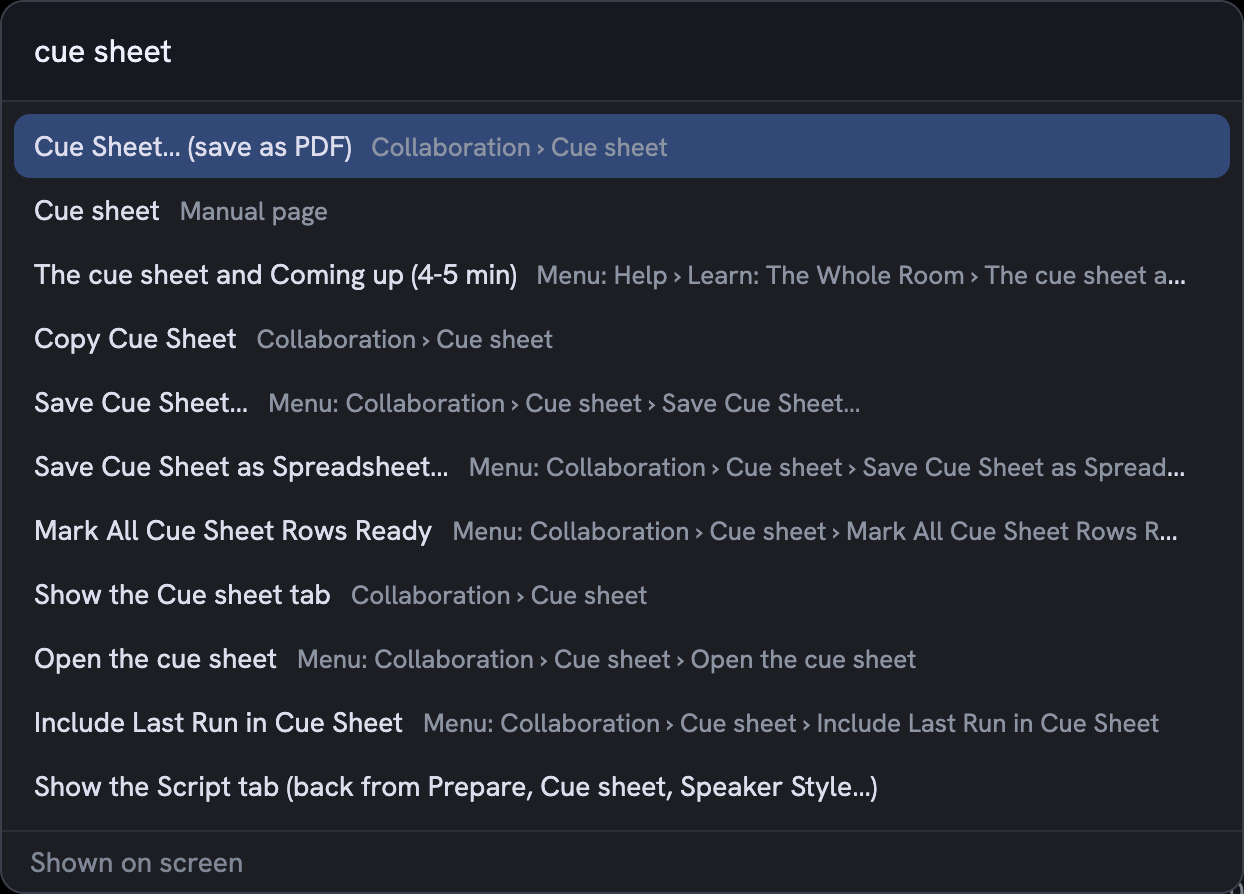
Help search with cue sheet typed in: the matching commands, menu items, and manual page, each with where to find it.

What makes it different

Operator · Crew

Prep

From the writer's rough doc to show-ready script, in a fraction of the time.

Operator

Run the show

Calm, tactile control built for the person sitting behind the console.

Presenter

A better read

A natural read for the presenter, with built-in help to get hard words, names, and pace right.

Try it on your next show.

Download